
LinkedIn Learning is an online learning platform that helps students, professionals, entrepreneurs, and job seekers build their skills to help them in their careers. It offers a wide range of courses in technology, business, creative, leadership, communication, data analysis, programming, and artificial intelligence. The courses can be taught by experts using videos and hands-on activities. Learners can learn at their own pace and obtain certificates of completion for certain courses. This allows learners to link their professional development to their career goals. If you wish to enhance your resume, gain knowledge, and prepare for new opportunities, this site will be helpful.
What is LinkedIn Learning?
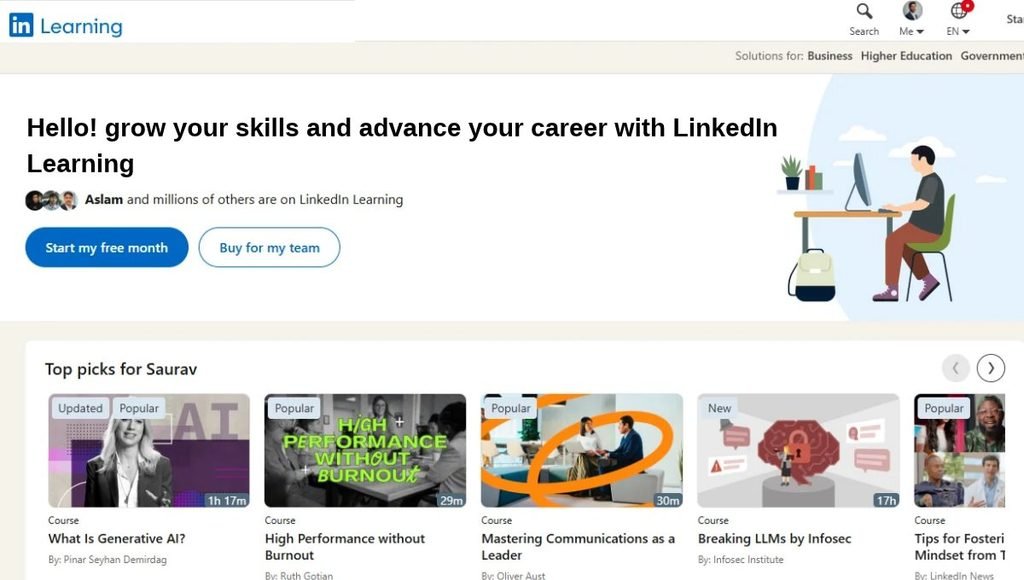
LinkedIn Learning is an online learning platform run by LinkedIn. It offers professional courses to help individuals improve their current skills and learn new skills. This can range from beginner to advanced.
Learners can take courses on Python programming, machine learning, Excel, project management, graphic design, digital marketing and business communication. Learners can choose to follow a structured learning journey or pick certain courses that they are interested in. Once learners complete certain courses, they can gain a certificate of completion. These cannot be used in place of a degree, licence or certification exam.
Key Features of LinkedIn Learning
Wide range of courses
This site has many different courses to choose from across technology, business, creative and professional development. There are courses for all levels of experience. Learners can improve their knowledge in programming, cyber security, cloud computing, data science, digital marketing, leadership, and many more. New content is regularly added, allowing learners to keep up to date with new technologies.
Video Courses taught by Experts
The courses are usually broken down into smaller segments by experts in the subject. This makes it easier to understand complex topics. Learners can pause and rewatch the videos, which helps students balance their learning with college, work, and personal life.
Learning Paths
These allow learners to complete related courses in a structured way. Learners can follow a learning path to help develop their skills in a particular area or get ready for a role in the professional world. For example, if learners are interested in data analysis, they can follow a learning path learning about spreadsheets, SQL, Python, and data visualisation in a logical order.
Certificate of Completion
Once learners complete certain courses, they will gain a certificate. These can be added to their LinkedIn profile. Certificates can be useful to add to your resume or professional profile, but employers may look at practical skills, projects, experience, and interviews.
Recommendations
The site can recommend courses based on your interests and professional goals. This can help learners find relevant courses quickly. However, learners should always check whether the recommendations are relevant to their career goals.
Hands-on Activities and Quizzes
Some courses will have quizzes, exercise files, coding challenges, and other activities to help learners test their knowledge. Hands-on activities can be very useful for technical topics as just watching videos may not be enough to problem solve.
Mobile friendly
This site can be accessed on a mobile device. This means learners can access the site whilst on the go. Depending on the subscription and app features, learners may be able to download certain courses.
Professional Development
LinkedIn Learning helps learners with their professional development. Learners can identify what skills are needed for their desired roles. Learners can improve their technical knowledge, communication skills, leadership, and productivity in the workplace. By combining relevant courses with hands-on projects and a well-kept LinkedIn profile, learners can show off their skills.
How to Access LinkedIn Learning
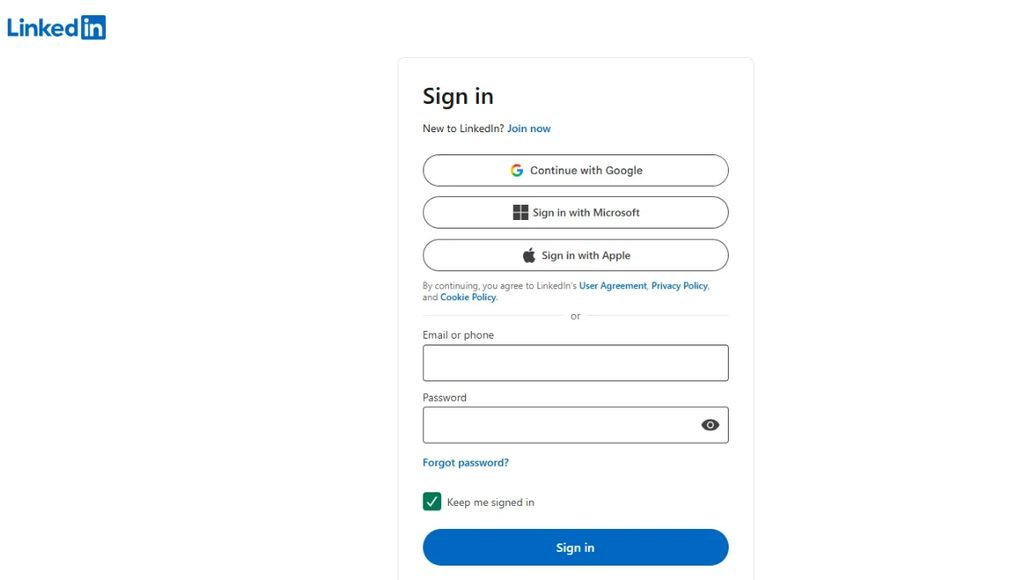
To get started:
- Step 1: Set up a LinkedIn account. If you don’t have a LinkedIn account, create one. Make sure your details are accurate and reflect your education, skills, and experience.
- Step 2: Visit the LinkedIn Learning Website. Go to the LinkedIn Learning website in your browser or open the site using the mobile application.
- Step 3: Sign In. Log in using your LinkedIn account or follow the instructions to access your account.
- Step 4: Check Subscription. Look at the subscription options. Some learners may have access using a qualifying LinkedIn Premium subscription. Others may have access via their University or employer.
- Step 5. Search for a Course. Search for the topic/skill/role you want to learn. Search for Python programming, machine learning, Excel, or project management.
- Step 6. Begin Learning. Pick a relevant course and start learning. If you need a subscription, you may need to enable a qualifying subscription.
How to use LinkedIn Learning effectively:
- Know your goal: Identify what you need to learn. This could be Python, improving your communication skills, preparing for a technical role, or understanding digital marketing.
- Choose a relevant course: Choose a course that suits your current knowledge. If you’re a beginner, start with the basics.
- Use a learning path: If there are any learning paths, choose one. This will help you learn related topics in a structured way. This will ensure you don’t miss out on any information.
- Hands-on: Don’t just watch the videos. Try coding, doing exercises, designing something, or applying the techniques you are learning.
- Take Notes: Note down any key concepts, commands, formulas, or examples. Keeping notes short will make it easier to revise.
- Complete the course: Complete the videos and any activities. Attempt any quizzes or exercises.
- Add relevant certificates: Add any relevant certificates to your LinkedIn profile. Only add certificates you have actually earned.
- Create a hands-on project: Use your new knowledge to create something. For example, create a small project using the Python and data analysis knowledge you have gained.
- Update your resume: Add any relevant skills, projects, and certificates to your resume. Focus on showing what you can do.
Who should use LinkedIn Learning?
Students
Students can use LinkedIn Learning to develop practical skills to supplement their university studies. Courses include programming, communication, data analysis, and project management. This can help prepare students for internships / entry level roles. Students should focus on developing skills which will help them with their degrees, interests, and future careers.
Software Developers
Software developers can take advantage of programming language, software development, cloud, database, cybersecurity, and development courses. This can help you refresh your knowledge and learn about new technologies. You should also try developing your coding skills by creating projects.
AI and Machine Learning Enthusiasts
If you are interested in AI, there are many courses available relating to Python, Machine learning basics, data science, generative AI, and more. To get the most out of your learning, pair beginner courses with maths, coding practice, trying to implement what you have learnt, and independent projects.
Job Seekers
Job seekers can use LinkedIn Learning to develop skills relevant to their job. Courses can include interview preparation, communication, business tools, and technical topics. However, simply completing a course does not guarantee you a job. You will need to have relevant skills, a good CV, and interview preparation.
Working Professionals
Professionals can use LinkedIn Learning to develop their current skills or prepare for taking on more responsibility. Courses can include leadership, management, communication, analytics, and technology. This will help you adapt to changes in the workplace.
Entrepreneurs and Freelancers
Entrepreneurs and freelancers can use LinkedIn Learning to learn about marketing, sales, project management, customer relations, productivity, and business. This can help you to manage your projects and communicate better with customers.
Applications of LinkedIn Learning
Develop Technical Skills
Use LinkedIn Learning to learn about programming, databases, cloud computing, cyber security, data analysis and AI. This helps develop your knowledge and identify areas to work on.
Career Development
If you are looking to take on new responsibilities or move into a new career, this is a great platform to develop new skills. The structured courses can help prepare you for roles requiring different technical or management skills.
Improving Communication and Leadership
Many courses are available to help improve your communication at work. Public speaking, teamwork, negotiation, time management, and leadership courses are available.
Digital Marketing
If you are interested in marketing, there are many courses available to help you. This can include content strategy, social media, SEO, analytics, and advertising. You can use this knowledge when creating websites, business campaigns, and freelance projects.
Interview Preparation
There are courses available to help you prepare for interviews. These include finding a job, interview skills and professional communication. To get the most out of your learning, pair the lessons with mock interviews and technical practice specific to your role.
Keep Learning
As technology and expectations in the workplace can often change, LinkedIn Learning can help you to refresh your knowledge and learn new topics.
Pros and Cons of LinkedIn Learning
| Pros | Cons |
| Offers courses across many professional subjects | Full access generally requires a paid subscription |
| Provides expert-led video lessons | Course quality and depth can vary |
| Supports self-paced learning | Requires discipline and consistent practice |
| Offers certificates for eligible courses | Certificates do not guarantee a job |
| Includes structured learning paths | Some courses may not provide enough hands-on practice |
| Supports career-related skill development | Subscription prices and availability vary by region |
| Offers courses for beginners and professionals | Not a replacement for formal degrees or regulated qualifications |
Is LinkedIn Learning Safe to Use?
LinkedIn Learning is a well-known platform for professional learning. Ensure that you are using official LinkedIn services and check the subscription terms.
Whether this is a good resource for you will depend on your goals and learning style. If you want structured learning, professional development resources, and an easy way to learn new skills, then it can be a great resource. However, consider the cost of the subscription and what else is available. Some topics may be covered with free learning resources; however, if you like structured courses, then this can be a useful resource.
Conclusion
Overall, LinkedIn Learning is a great platform to use if you are a student, professional, developer, entrepreneur, or job seeker. It has many courses available to help you develop your skills. The range of courses, learning pathways, practical activities, and certificates can help you develop professionally, whether it be in technology, business, or creative fields.
To get the most out of LinkedIn Learning, apply your learning. Choose relevant courses to your career goals and practice regularly. Complete relevant projects and show off your skills with your CV or professional profile. Check what the current price is and what features are included within the subscription.
FAQs
A1. Most of the time, you will need a valid subscription to gain full access. Some users may be able to use a free trial, or their university/employer may provide access.
A2. Yes! You will receive a certificate of completion for eligible courses, which can be added to your LinkedIn.
A3. Yes! There are courses for all experience levels, including beginners. Choose beginner courses to start with.
A4. It can help you develop skills relevant to your job and show that you are continuing to learn. However, completing a course does not guarantee you a job.
A5. Yes! Computer Science students can use LinkedIn Learning to learn about programming, databases, software development, cloud computing, cybersecurity, data analysis, and AI topics. Pairing this with coding practice and projects can make it more valuable.
Also Read: Google Classroom: Complete Guide, Login, Features, Pricing, Review and Uses


[…] Also Read: LinkedIn Learning: Complete Guide, Features, Pricing, Benefits, and Review […]