

Upwork is a top freelancing site that connects independent professionals to businesses, start-ups, entrepreneurs, or those needing skilled workers. Individuals can gain remote working opportunities, global clients, deliver professional services, and make money by using Upwork. It helps professionals in many industries such as content writing, graphic design, web development, programming, digital marketing, and virtual assistance. You can find projects, write proposals, manage contracts, contact clients, and get paid with Upwork. Whether you are a student, beginner, experienced freelancer, or business owner, Upwork has a marketplace to give you opportunities to work flexibly.
What is Upwork?

Upwork is an online Freelancing Marketplace. Businesses can use Upwork to employ independent professionals to complete short-or long term projects. It is an online platform to connect clients to freelancers from across the globe.
The site uses a project-based system to connect clients to professionals. The client will advertise what they are looking for, how much they are willing to pay, and receive proposals from those interested in the project. Professionals can create a profile, show off their portfolio, and apply for the project. They can also negotiate the terms of the project.
There are many different categories on Upwork such as Writing, Programming, Design, Marketing, Finance, Customer Support and IT Services. The site also has a Project Catalogue to allow freelancers to create specific service packages. Upwork has many features to help professionals work together. This includes payment protection, contract management, time tracking, and communication. The main aim of Upwork is to make it easier for businesses and professionals to employ remote workers.
Key Features of Upwork
- Global Freelance Marketplace: Upwork can connect freelancers to clients around the world. Freelancers can gain opportunities across many industries and work with businesses globally.
- Professional Freelance Profiles: You can create your own profile to advertise your skills, qualifications, experience, rates per hour, and portfolio. The more complete your profile is, the easier it will be for clients to see what your expertise is.
- Project Catalogue: Freelancers can create service packages on the Project Catalogue. These can include a description, price, and delivery time. Clients can look at these packages and purchase the service.
- Connects: Connects are tokens used by freelancers to submit proposals. Depending on the job, the amount of Connects needed will change. If there are not enough Connects available, you can purchase more.
- Payment Protection: Hourly and Fixed Price contracts can have payment protection. Hourly Payment Protection is available if the freelancer meets the tracking and eligibility criteria. Fixed Price Protection has milestone payments and approval.
- Time Tracking: You can use the desktop app to track your time. This is available for eligible hourly contracts.
- Communication: Upwork has communication tools to allow you to message, send files, video call, and manage contracts. Freelancers and clients can chat about the project, send files, and keep track.
- Freelancer Plus: Freelancer Plus gives extra features such as monthly Connects, proposal insights, customised job alerts, and profile options. This is ideal for professionals wanting extra tools.
Upwork Login
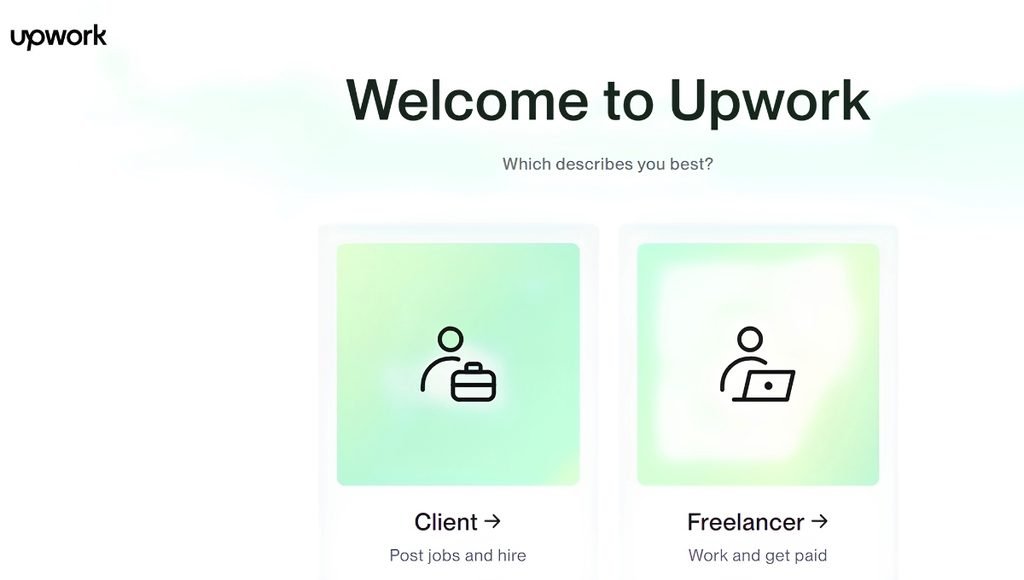
The login page allows registered freelancers and clients to manage their account, projects, communicate with others, and track payments. You can log in via the official website or the supported mobile apps.
- Go to the Upwork website.
- Click Log In.
- Enter your email/username.
- Enter your password.
- Complete any extra verification.
- You can now access your dashboard.
If you registered with Google or Apple, you must use the same method. If you have forgotten your password, use the password recovery option. Be careful not to click any suspicious links or share your login details.
Upwork Jobs
Jobs on Upwork are project-based. Freelancers can search for projects based on their skills, experience, working preferences, and expected earnings.
| Job Category | Popular Job Roles | Skills Required |
| Content Writing | SEO Writer, Blog Writer, Copywriter | Writing, SEO, Research |
| Web Development | Frontend Developer, Backend Developer | HTML, CSS, JavaScript, PHP |
| Graphic Designing | Logo Designer, Brand Designer | Photoshop, Illustrator, Canva |
| Digital Marketing | SEO Specialist, Social Media Manager | SEO, SEM, Social Media |
| Data Entry | Data Entry Operator, Virtual Assistant | Excel, Google Sheets, Typing |
| Programming | Python Developer, Java Developer | Python, Java, C++ |
| AI and Machine Learning | ML Engineer, AI Developer | Python, TensorFlow, Machine Learning |
| Video Editing | Video Editor, Motion Graphics Designer | Premiere Pro, After Effects |
| Mobile App Development | Android Developer, iOS Developer | Kotlin, Swift, Flutter |
| Customer Support | Customer Support Executive, Chat Support | Communication, Problem-Solving |
| Translation | Translator, Transcriptionist | Language Skills, Editing |
| Finance and Accounting | Accountant, Financial Analyst | Excel, Accounting, Financial Analysis |
Upwork Website
The Upwork Website is a great online platform to connect with businesses and freelancers. You can find job listings, freelancer profiles, project management, subscription plans, and payment options. The homepage provides you with options to search different professional areas. You can create a profile, build your portfolio, and search for projects to apply for. Clients can post job requirements, search through profiles, and hire the right freelancers.
The website also has sections to learn, get support, view pricing, and manage your account. Upwork has a mobile app, which means you can manage your freelance work via your phone. You can message, receive notifications, and see what opportunities are available.
Upwork India
Upwork India provides Indian freelancers opportunities to connect with global clients. Professionals can sign up to the platform, create a profile, and show off their skills. They can then apply for projects. Indian freelancers can look for content writing, graphic design, software development, digital marketing, virtual assistant, data entry, and other roles.
A key benefit of using Upwork India is being able to work with clients outside of India. Skilled professionals will be able to look for international projects and potentially earn in foreign currency. However, when taking on projects, you need to make sure you take into consideration currency conversion, withdrawal fees, tax, and service fees.
Popular skills to offer include SEO content writing, Python, WordPress, Graphic Design, Video Editing, Social Media Marketing, Data Analytics, Machine Learning, and Virtual Assistant.
When signing up, you should ensure you provide correct personal details and payment information. You should also check what payment options are available. Overall, Upwork can be a great option for students, working professionals, developers, and solo content creators looking to build an international freelance career.
Upwork Freelancing
Upwork freelancing means you can work freely without becoming a permanent employee. Freelancers can choose what projects they want to work on, set their own rate, and directly message clients. Upwork can be used to work on hourly, fixed-price, and pre-set services from the Project Catalogue.
To be successful as a freelancer, you will need to have some skills to offer, build a strong portfolio, know what clients want, and write good proposals. As a beginner, it can be better to pick one specific service to offer. For example, as a writer, you could specialise in SEO blog writing. As a developer, you could specialise in WordPress or Python.
It can take time to build a good reputation. However, by completing projects well, meeting deadlines, and keeping professional, you’ll gain good feedback and attract more clients. Upwork can also be used to build long-term relationships with businesses. Overall, it could become a great platform to build your own professional career.
How to Use Upwork
To get started on Upwork, you can sign up, create your profile, find the right projects, and apply.
- Step 1: Go to the Website. Go to the official Upwork Website and click Sign Up. Choose the option to create a freelancer account.
- Step 2: Sign Up. Sign up using your email, Google, or Apple account. Fill out the information.
- Step 3: Create your Freelancer Profile. Add your professional title, skills, experience, education, and description. Upload a good profile picture and add examples from your portfolio.
- Step 4: Add your Skills. Choose the skills that are relevant to your profession. For example, as a content writer, you could add SEO Writing, Copywriting, Blog Writing, and Content Marketing.
- Step 5: Find Work. Click Find Work and look through the projects available. Use the search filters to find projects that fit your skills, budget, and experience.
- Step 6: Apply. Choose a project that fits you and write a personal proposal. Tell them about your experience, how you’ll complete the project, how long it’ll take, and how much it’ll cost. Ensure you meet the Connects criteria.
- Step 7: Talk to the Client. If the client is interested in you, message them via Upwork. Discuss the project, deadlines, what needs to be delivered, payment, and contract.
- Step 8: Complete the Project. Agree to the contract and start working. Deliver your work on time and keep in contact.
- Step 9: Get Paid. Once you’ve completed the project, you’ll get paid according to the contract. Withdraw your earnings via the payment options.
- Step 10: Build your Reputation. Ensure you deliver quality work and keep good relationships with clients. This will help you gain more opportunities with good feedback and a good project history.
Upwork Pricing and Membership
Upwork can be used for free by freelancers, with some features and services costing extra. You can use the basic membership and then upgrade to Freelancer Plus if you require more features.
Freelancer Membership Pricing
| Feature | Freelancer Basic | Freelancer Plus |
| Monthly subscription | $0 | $19.99 |
| Monthly Connects | 10 | 100 |
| Additional Connects | $0.15 each | $0.15 each |
| Portfolio | Available | Available |
| Job search | Available | Available |
| Proposal insights | Limited | Available |
| Personalised job alerts | Standard | Available |
| Profile customisation | Limited | Available |
| Uma AI feature | Limited access | Full access |
Freelancer Service Fees
Upwork will charge a service fee to freelancers. This can range from 0% to 15% depending on the contract. For example, if you earned $100 on a project with a 10% service fee, the freelancer receives $90. This will show what percentage of your earnings will be charged when you go to submit a proposal or accept an offer. Once you start on the contract, you will have a set percentage.
Please note prices and features are based upon the pricing information at the time of writing this guide in November 2026. There may be extra costs such as taxes, currency conversion, and withdrawal charges. Please check the membership details to see what you will pay.
Who Should Use Upwork?
Upwork can be used by a variety of professionals and businesses.
- Students: Use Upwork to gain experience, improve your professional skills, and earn some money with part-time freelance projects.
- Beginners: If you are new to freelancing, you can create your profile, show off your skills, and apply to beginner projects. Starting with building your portfolio and taking on smaller projects will help you gain more experience.
- Content Writers & Bloggers: You can use Upwork to find work as an SEO writer, create blogs, write content for websites, and do copywriting & product descriptions.
- Developers & Programmers: As a software developer, you can take on projects using Python, JavaScript, WordPress, Mobile apps, Database Management & Web Development.
- Digital Marketers: SEO specialists, Social Media Managers & Marketers can find clients looking for help with online promotion, advertising & marketing.
- Graphic Designers: You can provide services such as logos, branding, illustrations, presentations, website graphics & social media creatives.
- Businesses & Entrepreneurs: Businesses can use Upwork to employ skilled professionals to complete specific tasks. Entrepreneurs can outsource specific tasks to professionals.
Pros & Cons of Upwork
There are many benefits to using Upwork; however, it is good to be aware of the drawbacks:
| Pros | Cons |
| Access to international clients | High competition |
| Multiple professional categories | Connections are required for most proposals |
| Free account registration | Service fees on earnings |
| Hourly and fixed-price projects | Premium membership expenses |
| Payment protection features | Getting the first project can be difficult |
| Flexible working opportunities | Some clients offer low budgets |
| Project Catalog services | No guarantee of regular income |
| Professional portfolio development | Withdrawal and conversion charges may apply |
Is Upwork Safe to Use?
Upwork is a well-known freelancing platform offering many features to help keep your transactions safe. Payment protection, Contract management, Identity checks, & Dispute resolution can help you manage your professional relationships. However, you should always follow the safety guidelines provided by Upwork to avoid scams. Always check the client profile, previous reviews & contract details. If you are working on a fixed-price project, make sure the milestone has been paid for. If you are on an hourly rate, make sure you follow the time tracking rules and payment protection rules. Avoid asking for payments that look suspicious, giving out unnecessary personal details & unrealistic offers. Sticking to the communication and payment rules can help keep you safe. Overall, Upwork offers a professional way to freelance, but you should be cautious with your choices.
Conclusion
Upwork is a popular freelancing platform where freelancers can connect with professionals worldwide. It can help you find work in many industries, including content writing, graphic design, programming, digital marketing, web development & virtual assistance. With freelancer profiles, Connects, Project Catalog, payment protection & contract management, it can be a helpful platform.
It can be very useful for students, beginners, experienced freelancers & professionals in India looking to get work internationally. Businesses can also use it to find skilled workers. However, there are some things to consider, such as competition, proposal costs, membership costs & service charges. Overall, it can be a great place to try if you want to improve your freelancing skills, work with clients internationally & create an independent income.
FAQs
A1. To find freelance work, hire freelancers, sell your services & manage remote projects.
A2. Yes, you can sign up for free with a basic account. However, to submit proposals, you will need to have Connects. You may need to purchase extra Connects.
A3. Yes, Indian freelancers can work with local & international clients. They can get paid using the withdrawal options available.
A4. Upwork will charge a service fee for freelancers. This can range from 0% to 15% depending on the contract.
A5. Yes, Upwork is a well-known freelancing platform with payment protection & dispute resolution. However, you should follow the safety guidelines and make sure you have verified the client.
Also Read: Preply: Features, Login, Uses, How to Become a Tutor, Pros and Cons